
Download Ciber Boss – internet cafe management, client-server software, computer usage control, time billing, network management tool, internet center software, PC management system
Overview
Ciber Boss is a client-server application designed for the management of internet centers, internet cafes, and similar establishments. Built with a focus on operational efficiency, the software enables administrators to oversee multiple client computers from a centralized server, streamlining daily operations. Its core purpose lies in simplifying the control of computer usage, time tracking, and user session management, which are critical functions in environments where multiple users access shared computing resources.
The application is particularly suited for small to medium-sized internet cafes, school computer labs, and public access centers that require accurate billing, user accountability, and remote administrative control. By providing a structured framework for managing user sessions, it helps reduce administrative overhead and prevents unauthorized access or misuse of systems. The system’s architecture supports real-time monitoring and intervention, ensuring that operations remain consistent and secure.
Although the developer did not provide additional technical details about their background, the application has been in use since its release on September 28, 2007, indicating a long-standing presence in the productivity software space. Its continued relevance suggests reliability and adaptability over time. The software plays a significant role in the ecosystem of specialized management tools, especially for businesses reliant on time-based access models and network-wide oversight.
Key Features & Functionality
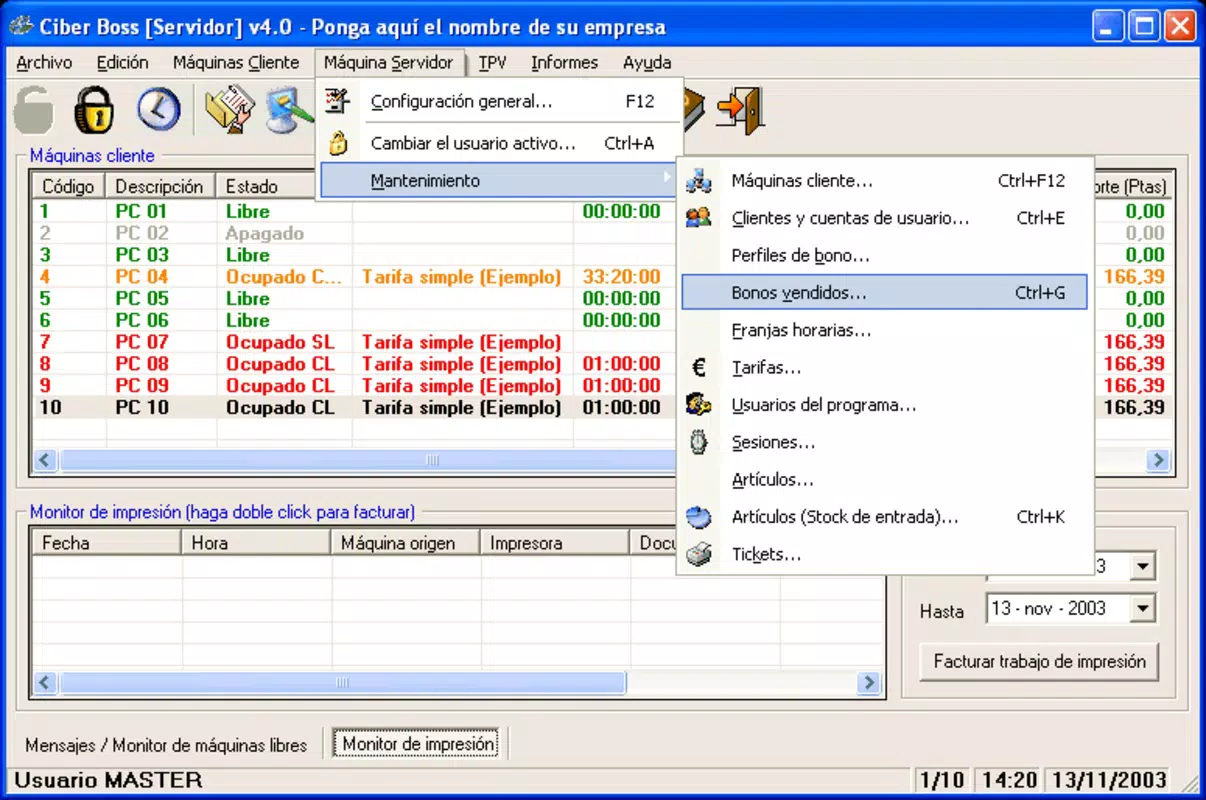
- Client-Server Architecture: Ciber Boss operates on a centralized model where one server manages multiple client machines. This enables administrators to deploy configurations, monitor activity, and enforce policies across the entire network from a single interface, improving consistency and reducing manual effort.
- Remote Management Tools: Administrators can remotely shut down, restart, or lock client computers directly from the server. This functionality is especially useful during maintenance, emergencies, or after business hours, minimizing the need for physical presence at each workstation.
- User Session Flexibility: Users can initiate sessions independently using time bonuses or pre-registered accounts. This autonomy reduces wait times and administrative burden during peak hours, enhancing customer experience while maintaining control over usage limits.
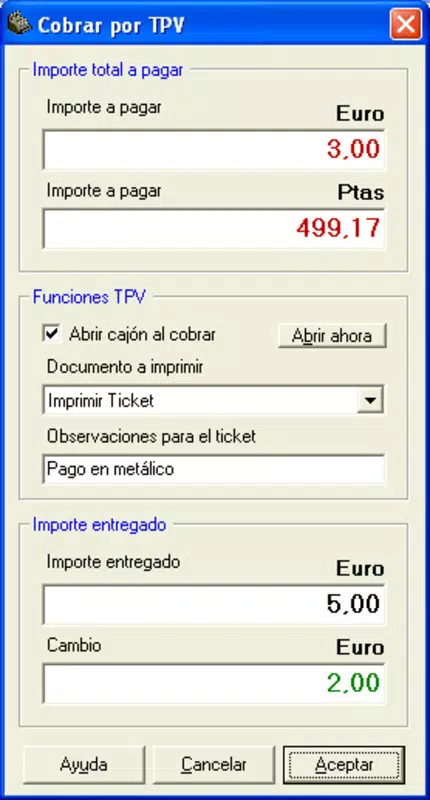
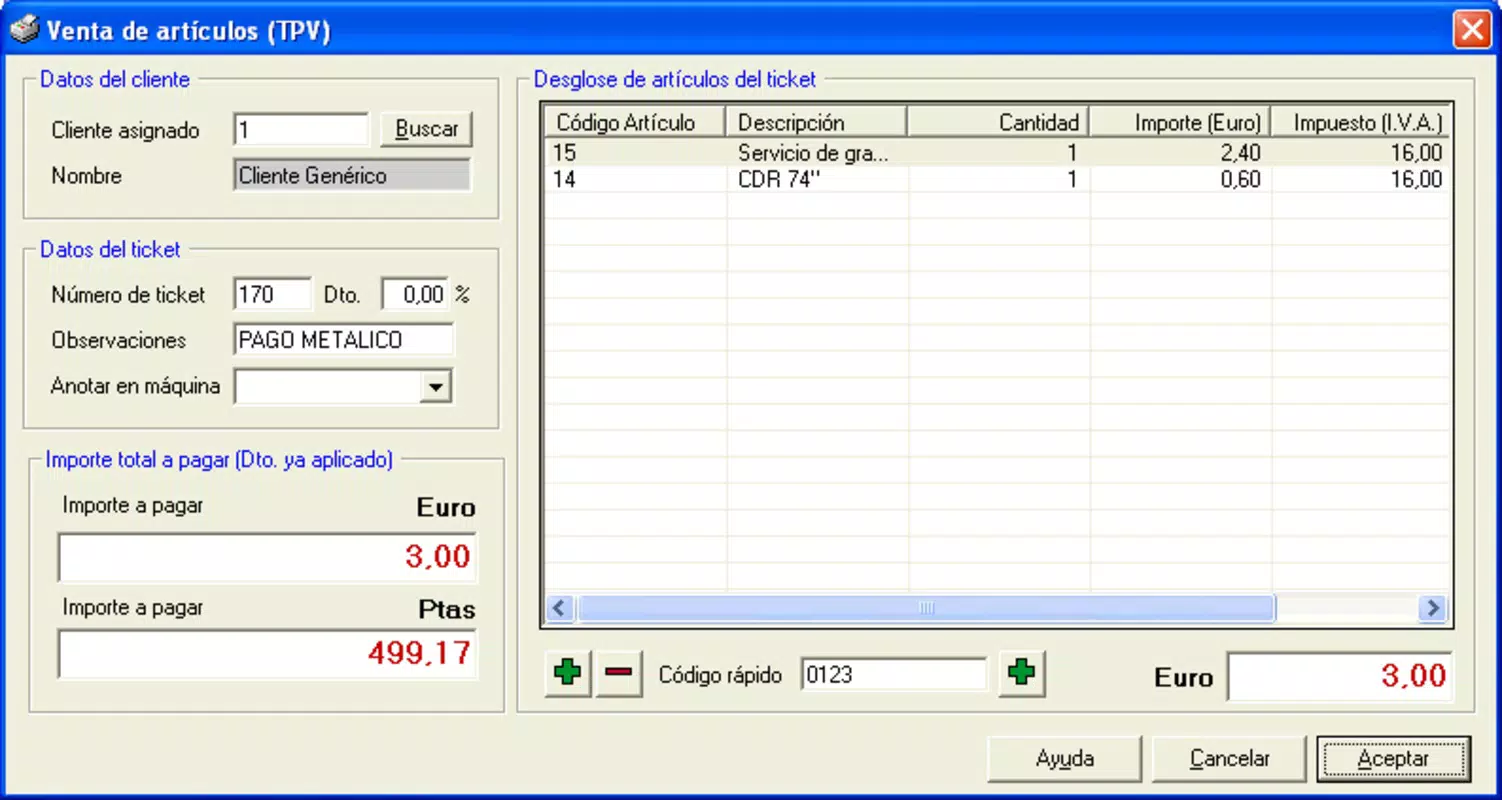
- Precise Time-Related Operations: The system tracks time with second-level accuracy, supporting accurate billing for internet usage, game sessions, or software access. This precision ensures fair and transparent charging, minimizing disputes and improving trust between users and operators.
- Data Backup Solutions: Built-in backup capabilities protect critical data such as user accounts, session logs, and billing records. In the event of server failure, power outages, or system crashes, data can be restored quickly, ensuring minimal disruption to business continuity.
For example, a café owner can set up time-based packages, grant bonus minutes during promotions, and remotely restart a frozen terminal without interrupting other users. These features collectively support a seamless, scalable management experience in high-traffic environments.
Interface, UX & Performance
The user interface of Ciber Boss is designed for administrative efficiency, prioritizing functionality over visual flair. The layout is structured around centralized control panels, with clear navigation between user management, session monitoring, time settings, and backup configurations. While the developer did not specify exact visual design elements, the interface appears to be optimized for task completion rather than aesthetic appeal.
Navigation follows a logical hierarchy, allowing administrators to access core tools with minimal clicks. The workflow is straightforward: configure settings on the server, assign user accounts, monitor active sessions, and manage time billing—all from a single dashboard. This design reduces the learning curve for new users and supports rapid deployment in operational settings.
Although the developer did not list formal performance metrics, the application’s lightweight footprint of 12.4 MB suggests it runs efficiently on standard Windows hardware. It is expected to perform reliably on older systems, which is beneficial for businesses operating on limited budgets. Responsiveness and stability are likely maintained through the software’s mature development history, though real-world testing across diverse device categories was not disclosed.
Platform Compatibility & Technical Requirements
Ciber Boss is designed for the Windows platform, with no information provided on specific operating system versions or hardware requirements. The software has a file size of 12.4 MB, indicating a compact installation package suitable for deployment across multiple machines.
Compatibility details were not fully disclosed, so users should verify whether the application supports current Windows versions. The developer did not specify minimum OS requirements, which may pose a challenge for users running newer systems. However, given its release date of 2007, it is likely optimized for older Windows editions such as XP, Vista, or 7.
Users are advised to test the software in their environment before full deployment, especially if they are using modern Windows 10 or 11 systems. The lack of detailed technical specifications limits the ability to assess compatibility with newer hardware or virtualized environments.
Pros and Cons
Pros
- Centralized client-server control for efficient network management
- Remote shutdown and restart capabilities for improved operational control
- Accurate second-level time tracking for precise billing
- Support for user session autonomy with time bonuses and accounts
- Integrated data backup to prevent loss during outages
Cons
- Platform limited to Windows without confirmed OS compatibility details
- No information on support for modern Windows versions
- Developer did not provide updated technical specifications or system requirements
- Interface may lack modern design elements expected in current software
- Long release date raises questions about ongoing updates and security patches
FAQ
Is Ciber Boss compatible with Windows 10 or Windows 11?
The developer did not specify compatibility with Windows 10 or Windows 11. Users are advised to test the application in their environment before full deployment.
Can I use Ciber Boss for managing a school computer lab?
Yes, Ciber Boss is suitable for managing shared computing environments such as school labs, where centralized control, time tracking, and user accountability are essential.
Does Ciber Boss support automatic backups?
Yes, the software includes data backup solutions to safeguard user accounts, session logs, and billing records from server issues or power failures.
How many client computers can one server manage?
The exact number of supported clients was not disclosed by the developer. The system is designed for scalability, but specific limits depend on hardware and network conditions.
Is Ciber Boss a free application?
No, Ciber Boss is a paid application priced at $39.99. It is not available as a free download or open-source tool.
Final Thoughts
Ciber Boss remains a functional solution for businesses requiring a reliable system to manage internet cafes, computer labs, or public access centers. Its client-server model, remote management tools, and precise time billing make it a practical choice for operators who value control and efficiency. While the software’s age and lack of updated technical details may raise concerns about compatibility and security, its core features continue to serve their intended purpose.
Businesses with legacy Windows infrastructure and a need for straightforward, time-based management will benefit most from this tool. The value proposition lies in its ability to centralize operations, reduce manual oversight, and ensure data integrity through built-in backup functions.
Download Ciber Boss now


